
Download Naevius Facebook Layout – Facebook, layout, skin, customize, Internet Explorer, browser, tool, utility, productivity, social media, customize Facebook, change Facebook look, Facebook skin
Overview
The Naevius Facebook Layout is a specialized utility designed to allow users to personalize the visual appearance of Facebook within the Internet Explorer browser. This tool enables individuals to refresh their social media experience by applying a range of stylistic skins that alter the look and feel of the Facebook interface. While primarily focused on aesthetics, it serves a practical purpose for users who seek to differentiate their browsing environment or express personal interests through design. The application is particularly relevant for users who maintain a consistent presence on Facebook and value visual variety in their digital interactions.
Target users include individuals who use Internet Explorer as their primary browser and are interested in customizing their Facebook interface without altering core functionality. The app is especially suited for users who enjoy expressing their personality through digital spaces, such as fans of gaming, music, or sports, who can align their Facebook theme with their interests. Although the developer did not provide additional technical details, the tool’s longevity since its release in 2010 suggests a stable, if niche, presence in the utility space. Real-world use cases include daily Facebook users who want a visually distinct experience or those using Facebook for professional or community engagement and seeking a unique digital identity.
Despite its age, Naevius Facebook Layout remains a functional example of early browser-based customization tools. It highlights a time when browser extensions and third-party utilities were emerging as ways to personalize web experiences. Its continued availability, though limited in scope, reflects a specific demand for lightweight, focused tools in the productivity category.
Key Features & Functionality
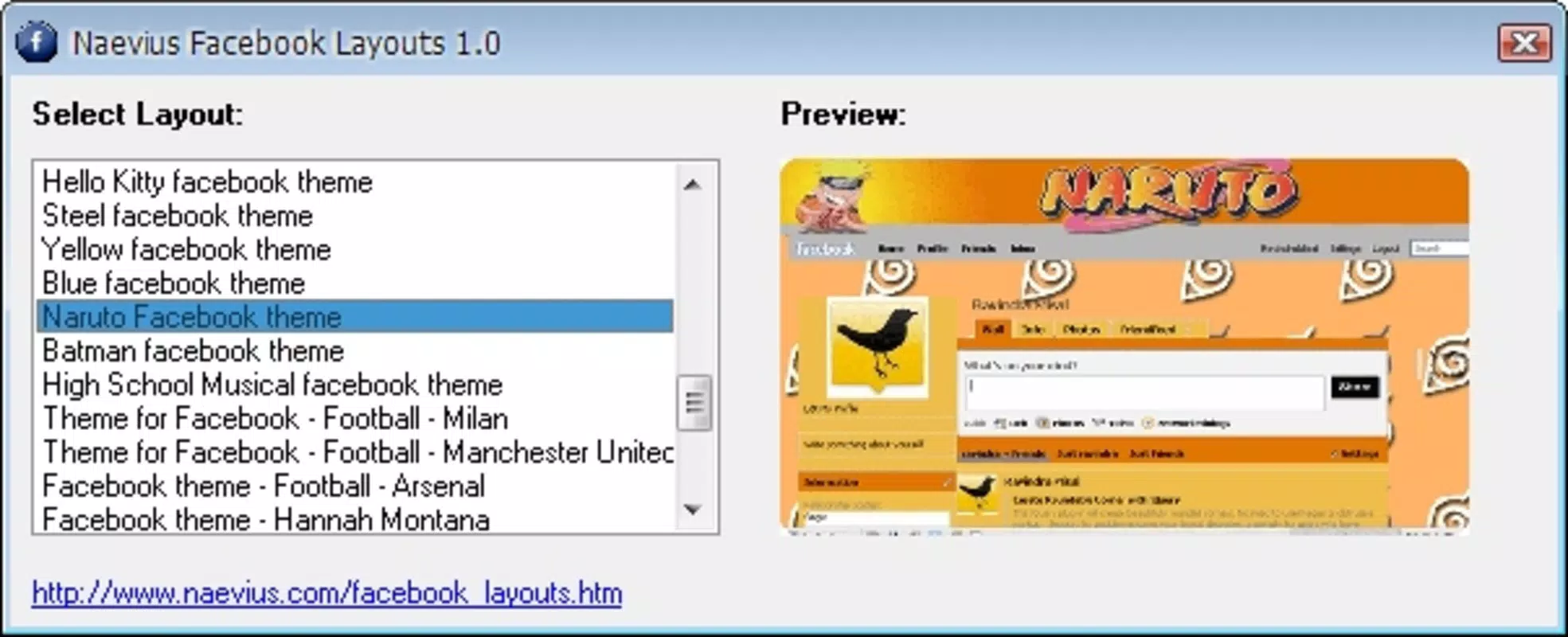
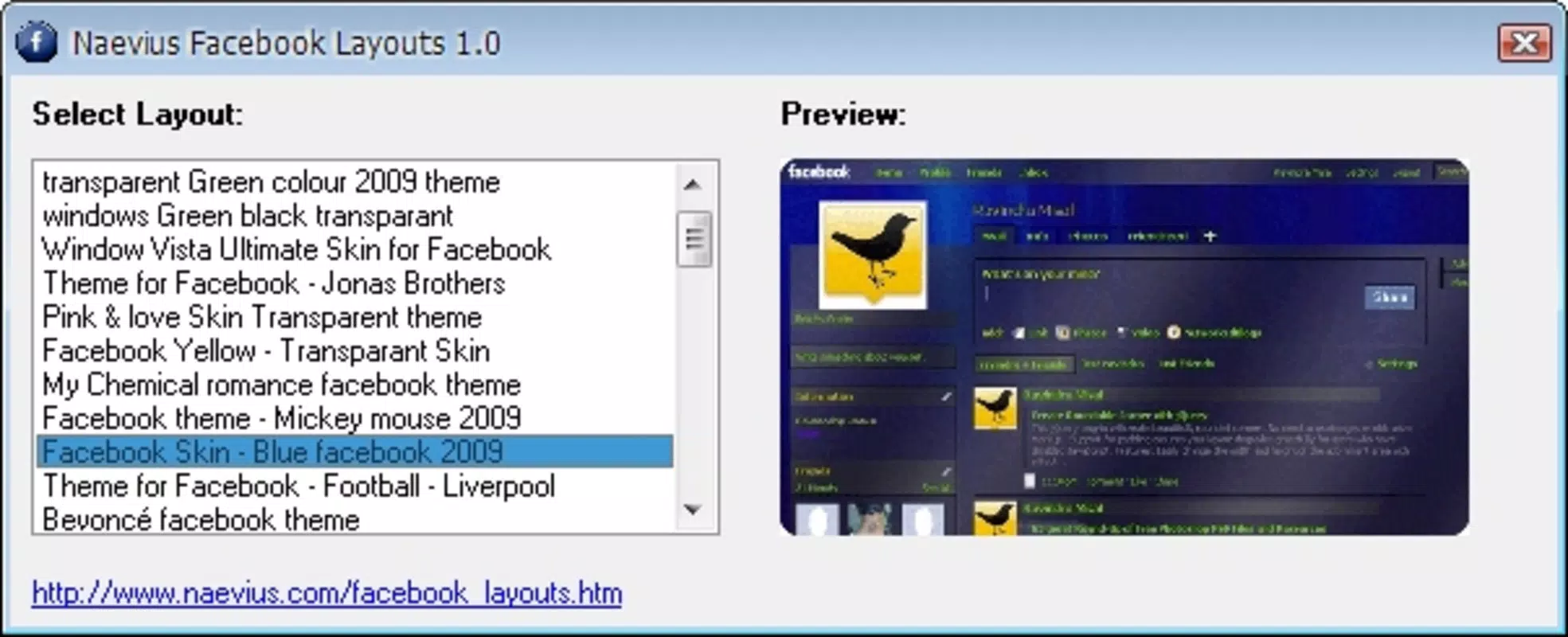
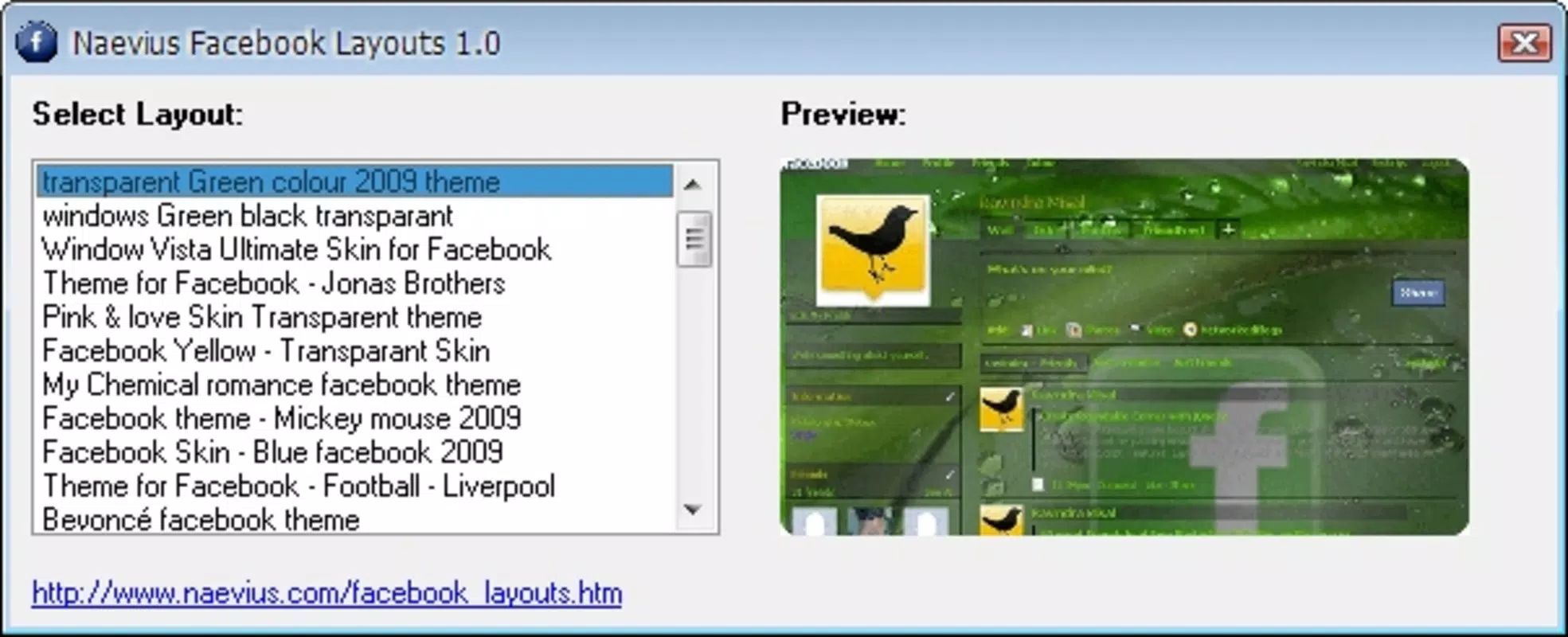
- Customizable Skins: Users can choose from a selection of pre-designed skins that modify Facebook’s appearance. These skins are themed around interests such as games, music, and sports, enabling users to align the visual style with their personal preferences.
- User-Friendly Interface: The application features a simple interface that requires minimal interaction. After launching Naevius Facebook Layout, users can select a desired skin and apply it with a single action, after which Facebook loads with the new design.
- Trendy Design Options: The available skins reflect contemporary design trends from the time of release, offering modern and visually appealing layouts that enhance the overall aesthetic of Facebook browsing.
- Internet Explorer Exclusivity: The tool is designed specifically for Internet Explorer, ensuring optimized performance within that environment. However, this restriction limits compatibility with other modern browsers.
For example, a music enthusiast could apply a skin with a dark, neon-themed interface that complements their favorite artist’s branding. Similarly, a sports fan might select a layout with team colors and logos to personalize their Facebook experience during major events. These real-world applications demonstrate how the tool supports both personal expression and situational customization.
Interface, UX & Performance
The interface of Naevius Facebook Layout is minimal and straightforward, reflecting its utility-focused design. Users are presented with a clean window displaying a grid or list of available skins, each previewed with a thumbnail. Navigation is intuitive, requiring only a click to select and apply a theme. The lack of complex menus or settings aligns with its purpose as a lightweight tool for rapid customization.
Although the developer did not list formal performance metrics, the application’s small file size of 1.2 MB suggests it imposes minimal load on system resources. It is likely to run smoothly on older Windows systems, though performance on modern devices may depend on Internet Explorer’s compatibility and support. Responsiveness is expected to be consistent, given the app’s simple execution model. Stability appears to be maintained, as the tool has remained available since its 2010 release.
However, users should note that the experience is entirely tied to Internet Explorer, which may affect overall performance on newer Windows versions where the browser is no longer actively developed. The lack of updates or modernization could lead to potential compatibility issues over time.
Platform Compatibility & Technical Requirements
Naevius Facebook Layout is designed exclusively for the Windows platform and requires Internet Explorer to function. The software version is 1.0, with a file size of 1.2 MB. The developer did not specify minimum OS requirements or compatibility with specific Windows versions. As such, users are advised to ensure their system supports Internet Explorer, which may be limited on newer Windows releases.
Compatibility information was not fully disclosed. While the app was released in 2010, it may still operate on older Windows systems such as Windows 7 or earlier. However, users on modern Windows 10 or 11 systems may encounter limitations due to the deprecation of Internet Explorer and the shift toward Microsoft Edge. The developer did not provide additional technical details regarding hardware or software prerequisites.
Pros and Cons
Pros
- Lightweight design with a small file size of 1.2 MB.
- Simple, intuitive interface suitable for non-technical users.
- Offers themed skins for interests like games, music, and sports.
- Free to download and use, with no in-app purchases.
- Enables quick and easy customization of Facebook’s visual appearance.
Cons
- Compatibility restricted to Internet Explorer only.
- Not compatible with modern browsers like Chrome, Firefox, or Edge.
- App has not been updated since 2010, raising concerns about long-term stability.
- Developer did not provide detailed system requirements or support documentation.
- May not function properly on newer Windows operating systems.
FAQ
Is Naevius Facebook Layout safe to download?
The app is free and available from its official source. However, users should ensure they download it from a trusted platform, as third-party sites may bundle additional software.
Can I use Naevius Facebook Layout on modern Windows systems?
While possible on older Windows versions, compatibility with Windows 10 or 11 may be limited due to the discontinuation of Internet Explorer support.
Does Naevius Facebook Layout require an internet connection?
Yes, an active internet connection is needed to access Facebook, though the tool itself does not require continuous connectivity after installation.
Are there updates available for Naevius Facebook Layout?
The developer has not released any updates since the app’s initial release in 2010. No official update schedule or future development plans have been announced.
Can I uninstall Naevius Facebook Layout anytime?
Yes, the application can be uninstalled through the standard Windows control panel without affecting Facebook or other system components.
Final Thoughts + CTA
Naevius Facebook Layout remains a niche yet functional tool for users who value visual customization within the constraints of Internet Explorer. While its age and browser-specific limitations prevent it from being a mainstream solution, it still serves as a testament to early efforts in personalizing web experiences. The simplicity of its design, combined with the ability to apply themed skins, offers a unique way to refresh Facebook’s appearance for those still using the supported environment.
Although modern alternatives now dominate the customization space, this tool holds historical significance and may still appeal to users with specific legacy setups or nostalgic preferences. For anyone seeking a lightweight, free utility to alter Facebook’s look, Naevius Facebook Layout delivers on its core promise—provided they are using Internet Explorer.
Download Naevius Facebook Layout now


